Projects · Git client
Ocelli
A Git client that shows a repository as a readable commit graph, on the desktop, in the browser and in the terminal, and works on it from there.
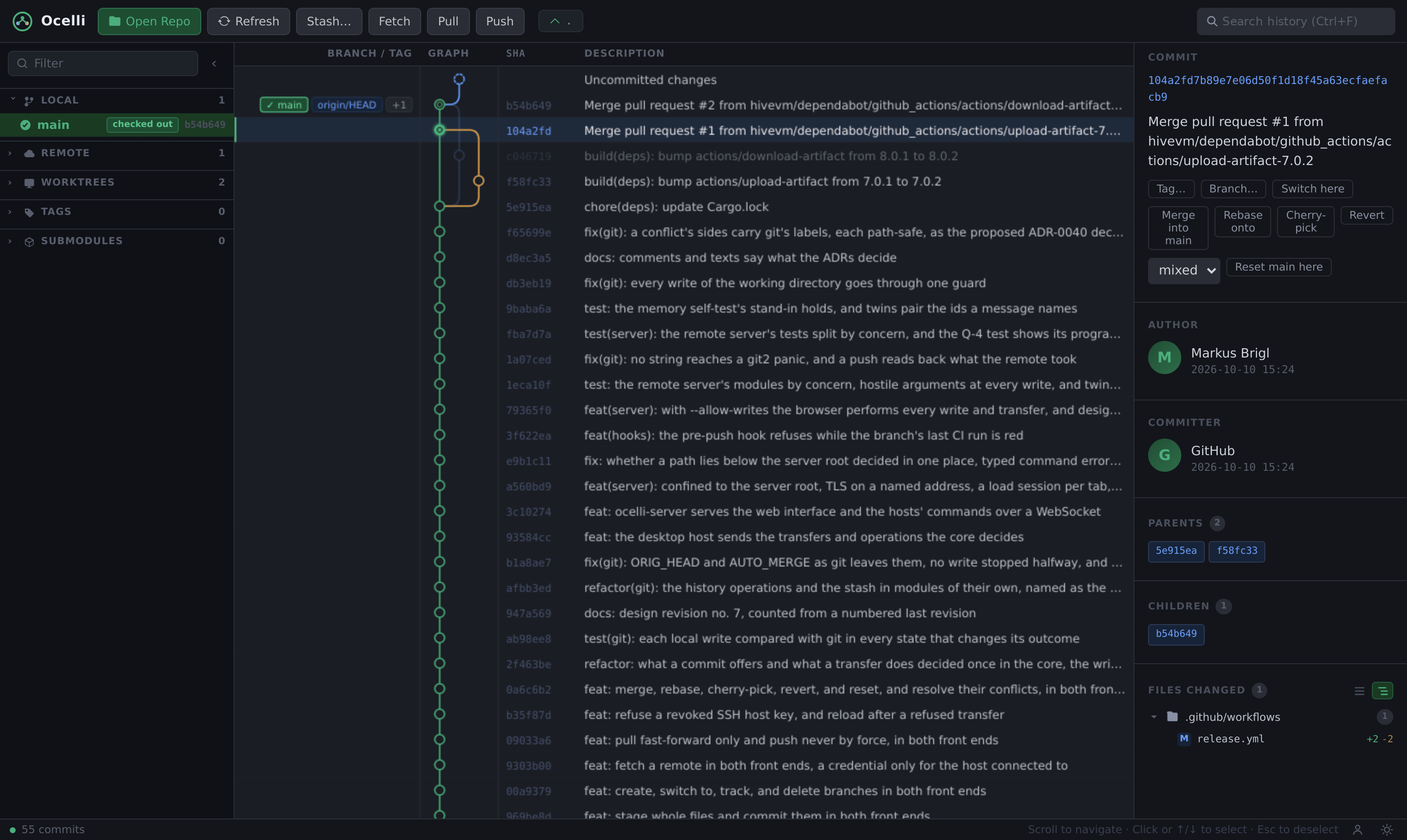
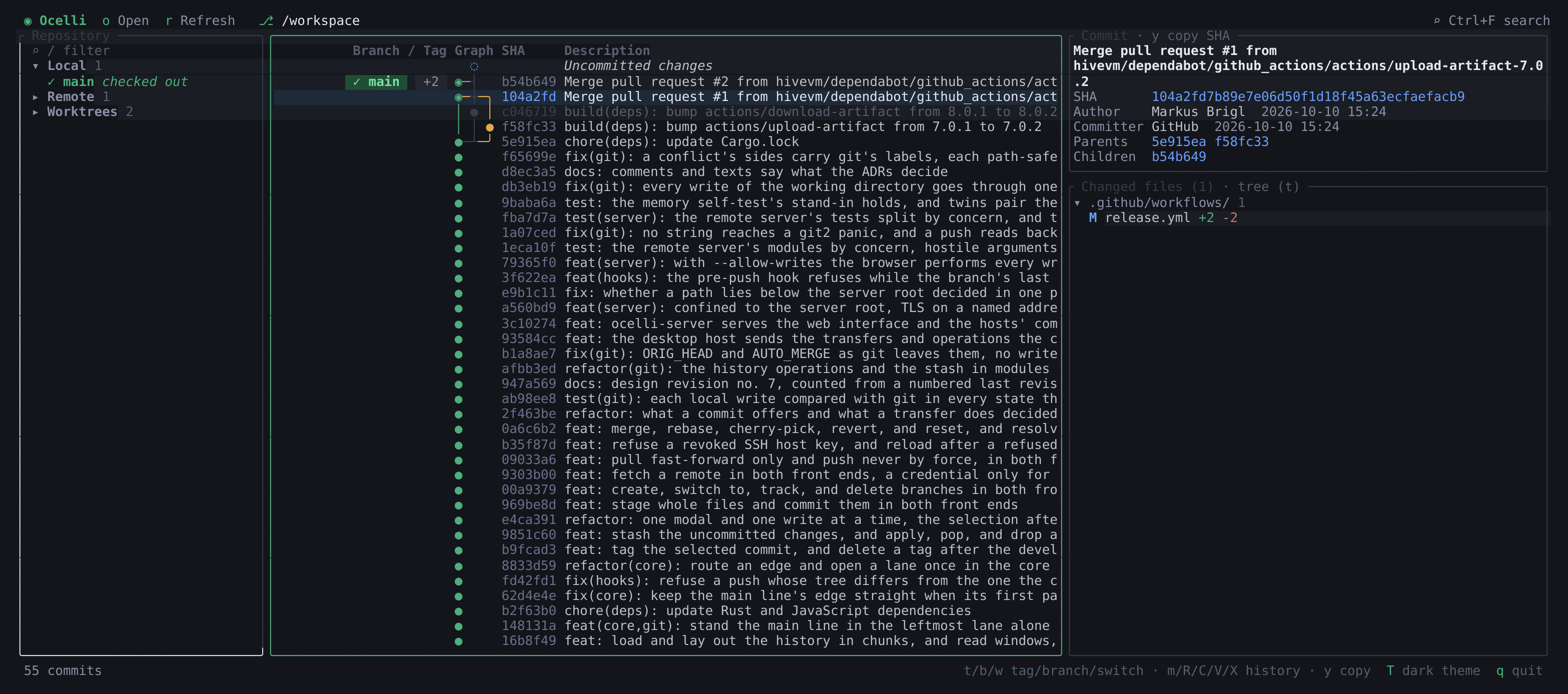
Git history is a directed acyclic graph, but the usual tools flatten it into a list or draw it as ASCII art that becomes unreadable once several branches run in parallel. Good graphical clients exist, yet many are paid or built on a heavy desktop runtime. Ocelli starts from the graph: a free, lightweight way to view a Git repository and work on it through a commit graph that stays readable.
A graph that stays readable#
Time runs downwards, each branch keeps its own lane, and merges are drawn as unambiguous orthogonal edges:
 ● abc1234   main   Fix login bug                    Alice      2024-01-12 14:30
 ●─┐ def567         Merge feature/oauth into main    Bob        2024-01-11 09:15
 │ ● ghi890  feat   Add OAuth2 support               Carol      2024-01-10 17:42
 │ ● jkl012         Refactor auth module             Carol      2024-01-09 11:20
 ●─┘ mno345         Update dependencies              Alice      2024-01-08 16:05
 ● pqr678           Initial commit                   Dave       2024-01-01 10:00
The layout follows the algorithms in Pierre Vigier’s article Commit Graph Drawing Algorithms. Around the graph, Ocelli adds what you need to follow a history:
- Lineage highlight. Selecting a commit keeps its ancestors and descendants in full colour and dims the rest.
- Commit detail. The message, author and committer, parents and children as links, and the changed files with their diffs.
- Search across message, author, committer, SHA and ref names.
- Repository sidebar. Branches with ahead/behind counts, remotes, working trees, tags and submodules.
History loads in the background: the newest commits show at once and the rest follows while you scroll. Only visible rows are painted, which keeps large repositories responsive.
The same tool in three places#
Developers work on the desktop, on remote machines and in shells, so Ocelli offers the same commit graph in all three:
- Desktop. A desktop application with installers, built on Tauri.
- Browser.
ocelli-serverruns on the machine that holds the repositories and serves the same interface. It listens on loopback by default, prints a URL with a secret token, and only reads unless you start it with--allow-writes. - Terminal.
ocelli-clidraws the same rows, columns and edges with box-drawing characters, or plain ASCII with--ascii.
From reading to working#
Daily Git work should need no shell. From the graph you stage and commit, create and switch branches, fetch, pull and push, and merge, rebase, cherry-pick, revert and reset, with their conflicts resolved in both front ends.
Careful by design#
A repository you open is untrusted input, and Ocelli treats it that way:
- Working with a repository must not run code it brings, such as its hooks or programs named in its configuration.
- A repository must not be able to obtain your credentials through a crafted remote or a credential helper of its own.
- An operation that discards work, such as a hard reset or dropping a stash, runs only after you confirm it.
- Avatars come from Gravatar only after you switch them on. A fresh installation makes no network requests.
The performance targets are just as concrete: on a repository of one million commits, the first screen should appear within 2 seconds, and scrolling should never wait more than 100 ms for the next one.
What it leaves out#
Pull requests, issues and code review stay out of scope, because Ocelli works on the repository only.
Getting started#
Ocelli has no tagged release yet, so you build it from source; the README has the commands.
In HiveVM#
Ocelli is where humans review what agents and generators produced: one view of how the history fits together. It is built from a written specification and ADRs, on the method of NUC. Every feature is meant to reach all three front ends.
Why “Ocelli”?#
Ocelli are the three simple eyes on top of a bee’s head, with which it reads light and the horizon at a glance. The tool gives a repository the same: one view that shows the shape of the whole history.
Back to Projects